
Set Option Quantity Breaks
This article explains how quantity breaks are generated using rules in Xada, and how they interact with product options and additions.
Why Quantity Break Rules Are Needed
Supplier pricing data is often incomplete or inconsistent, particularly when it comes to bulk pricing. Common issues include:
- Only MOQ (Minimum Order Quantity) pricing is provided (e.g. quantity 1 or base tier)
- No structured discounts for higher quantities
- Manual pricing setup becoming unmanageable at scale
Xada addresses these challenges by automatically generating quantity breaks using rules.
How Xada Creates Quantity Breaks
Xada uses its rules management system to inject quantity tiers into products based on defined conditions.
Rules can be applied by:
- Supplier
- Category
- Product type
- Combination of multiple conditions
This allows different quantity break structures to be applied where needed, without manually configuring each product.
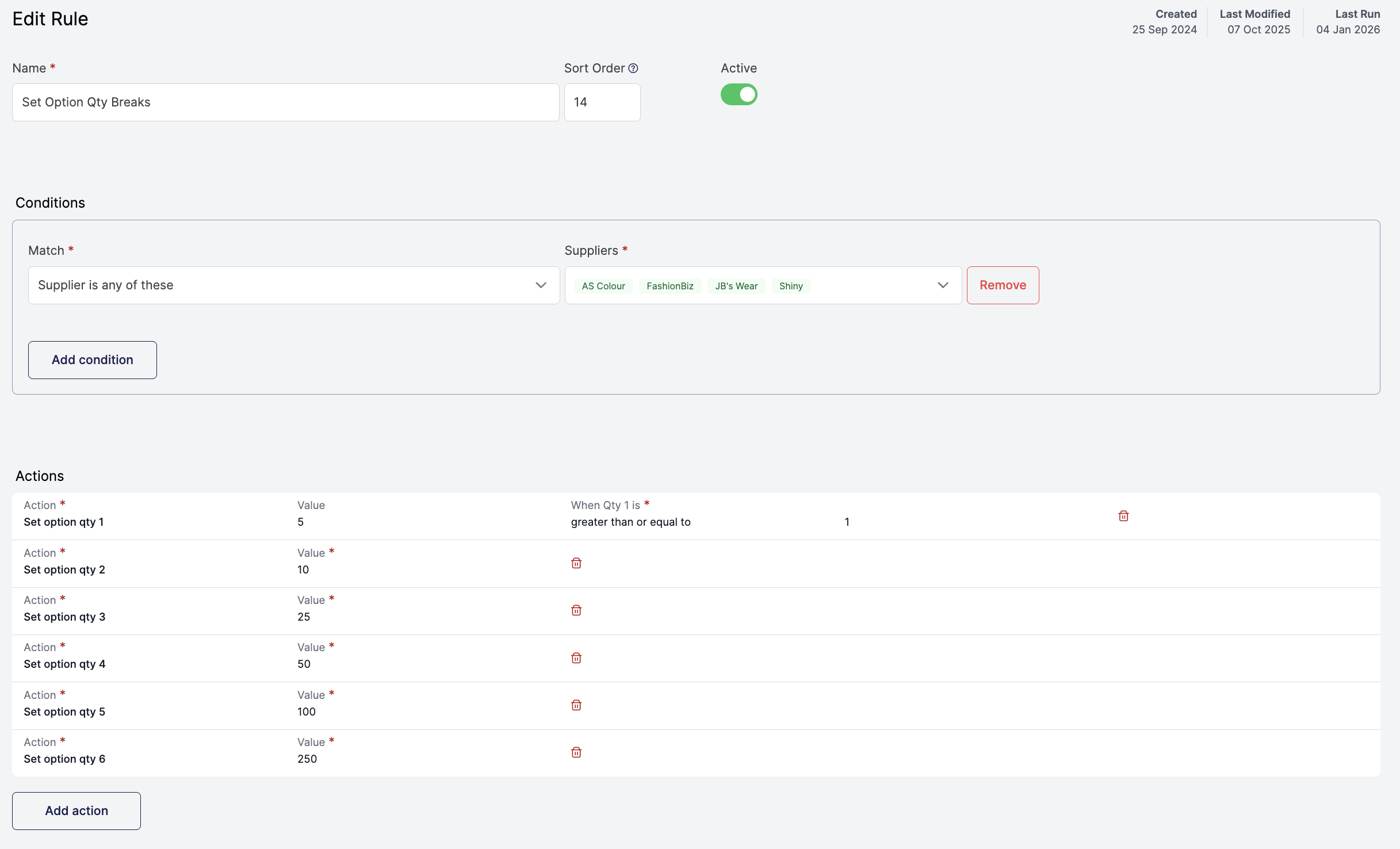
Base Option Quantity Breaks (MOQ-Based Pricing)
For most workflows, the starting point is the unbranded base product.
The rule:
- Identify the base or unbranded option
- Use the supplier’s MOQ price (typically Qty 1) as the starting point
- Generate additional quantity tiers above the MOQ
- Apply discount logic across each tier
- Apply consistent markups
This transforms a single MOQ price into a complete bulk pricing structure.
Benefits of Using Quantity Break Rules
Using rules to create quantity breaks provides several advantages:
- No manual pricing setup per product
- Consistent pricing logic across thousands of products
- Easy adjustment of quantity tiers and discounts
- Clean separation between supplier data and storefront pricing
This approach removes the need to manage individual pricing exceptions and prevents small pricing inconsistencies from appearing across the catalogue.
Key Considerations
When creating quantity break rules:
- Always use the MOQ (Qty 1) price as the base reference
- Ensure rules target the correct suppliers and categories
- Confirm only relevant options are active on the storefront
- Test pricing behaviour after applying rules