
Xada Overview
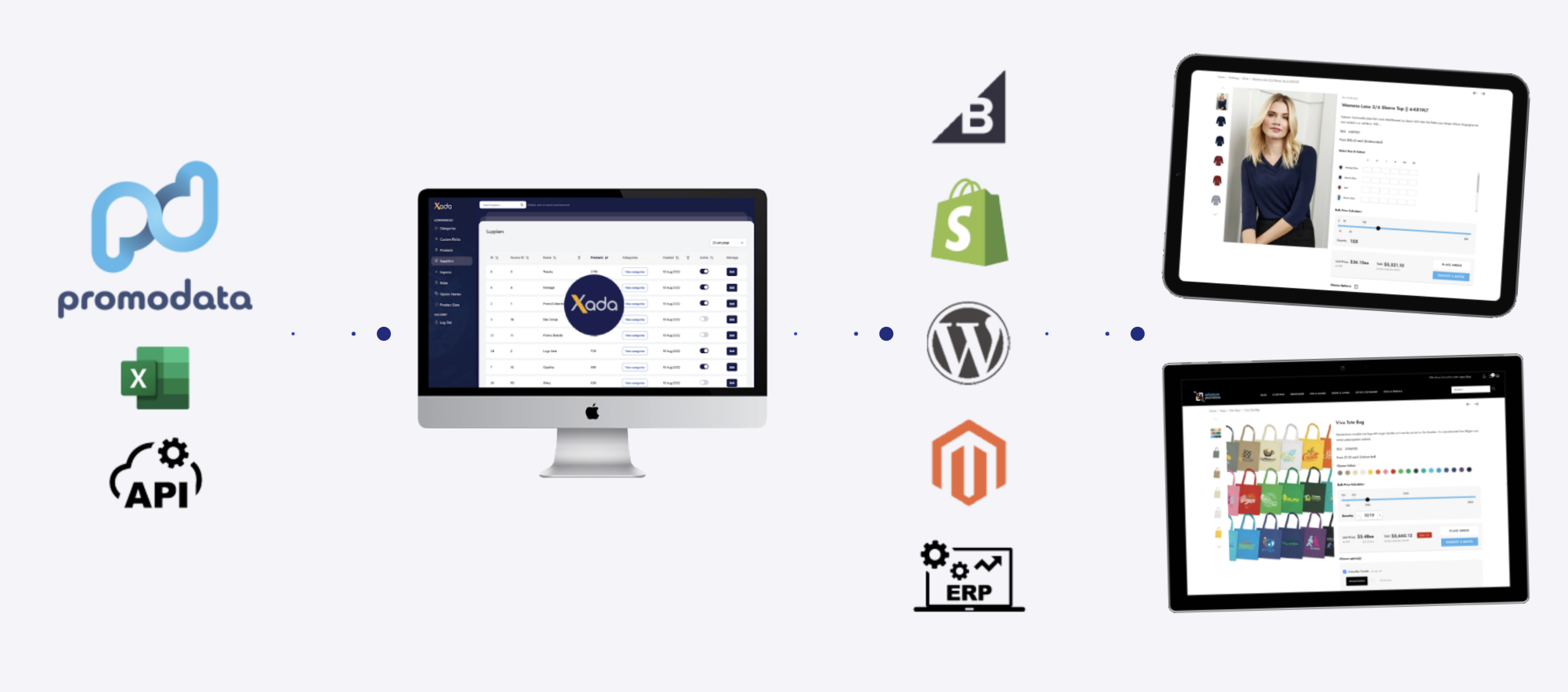
This article provides a high level overview of the core functionality available in Xada and how it is used to manage, curate and publish product data at scale. It is intended to help new users understand the structure of the application and how the main areas work together to reduce manual effort and improve data consistency.
Xada is designed to act as the central source of truth for product data. Supplier information is synchronised automatically, curated within Xada and then published to your online storefront without the need to manually manage data inside your eCommerce platform.
Data Synchronisation and Automation
Once products are curated and activated in Xada, they are synchronised to your storefront either on a scheduled daily sync or via ad hoc publishing. This approach ensures that supplier updates flow through automatically without requiring ongoing manual maintenance.
At the centre of this automation is Xada’s rules engine. Rules allow you to standardise pricing, naming, categorisation and visibility across thousands of products. Once configured, these rules continue to operate in the background as new products are introduced or updated.
Dashboard Overview
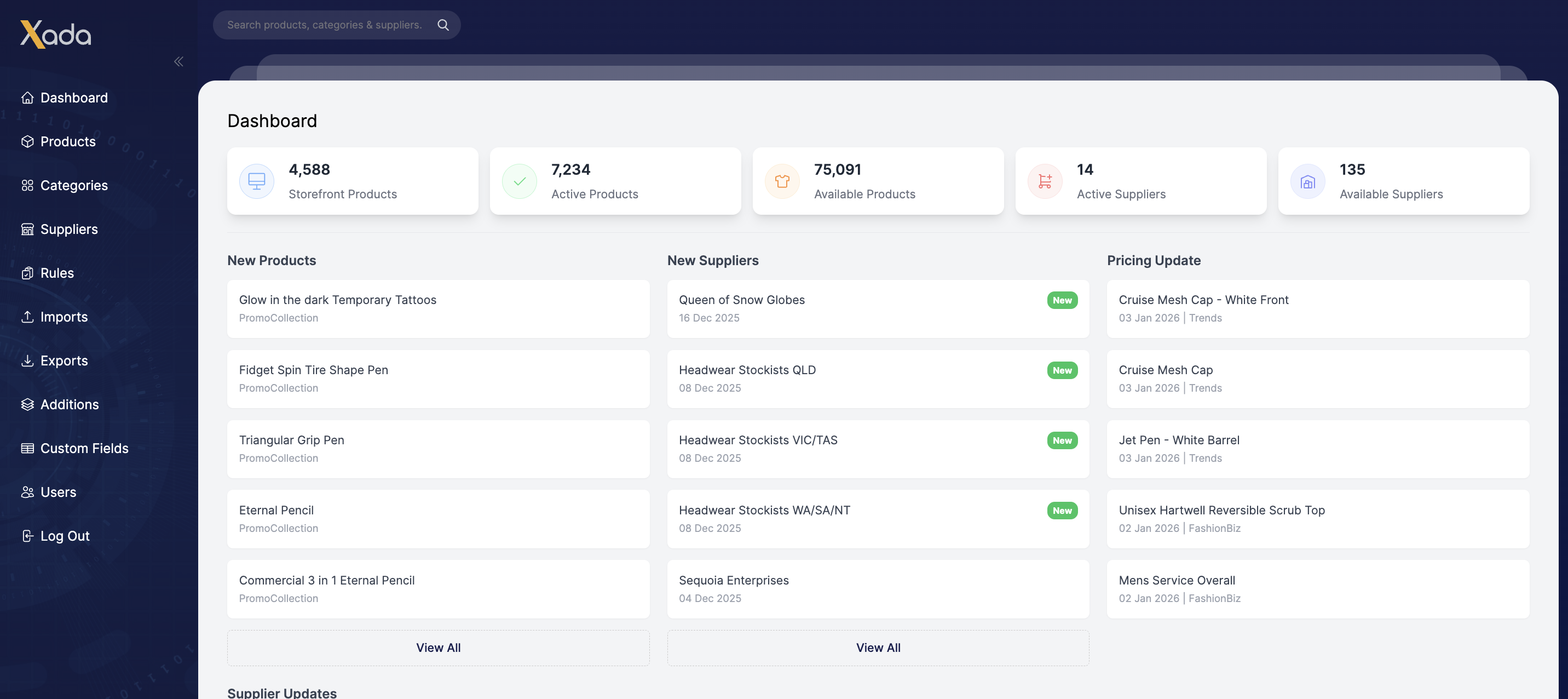
The dashboard provides a snapshot of your product ecosystem, including:
- Number of suppliers available
- Number of active products
- Products currently synchronised to your storefront
This gives immediate visibility into how much of your catalogue is live and managed through Xada, reinforcing its role in removing the need to manage product data directly in the storefront backend.
Suppliers Management
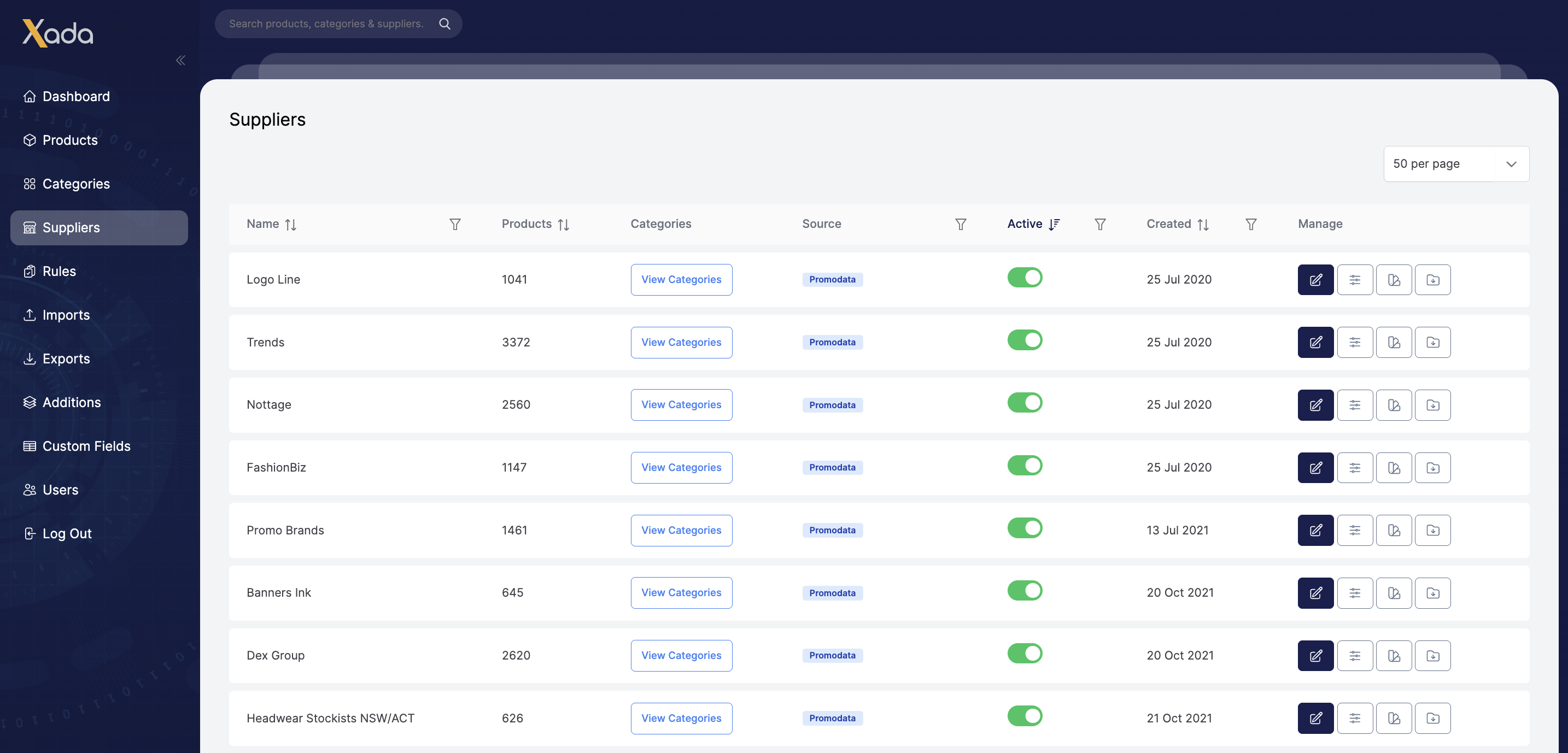
The Suppliers menu lists all suppliers available through the API or manual imports. Each supplier record shows key details such as when the supplier was introduced and whether their products are active.
From here you can:
- Search for individual suppliers
- Activate or deactivate suppliers
- Drill down into supplier specific products and categories
- Perform bulk management actions
Selecting a supplier allows you to view the full product range available, see how products are categorised and navigate directly into product management.
Bulk edits can be performed using CSV exports, allowing you to update product data efficiently without editing items one by one.
Category Management
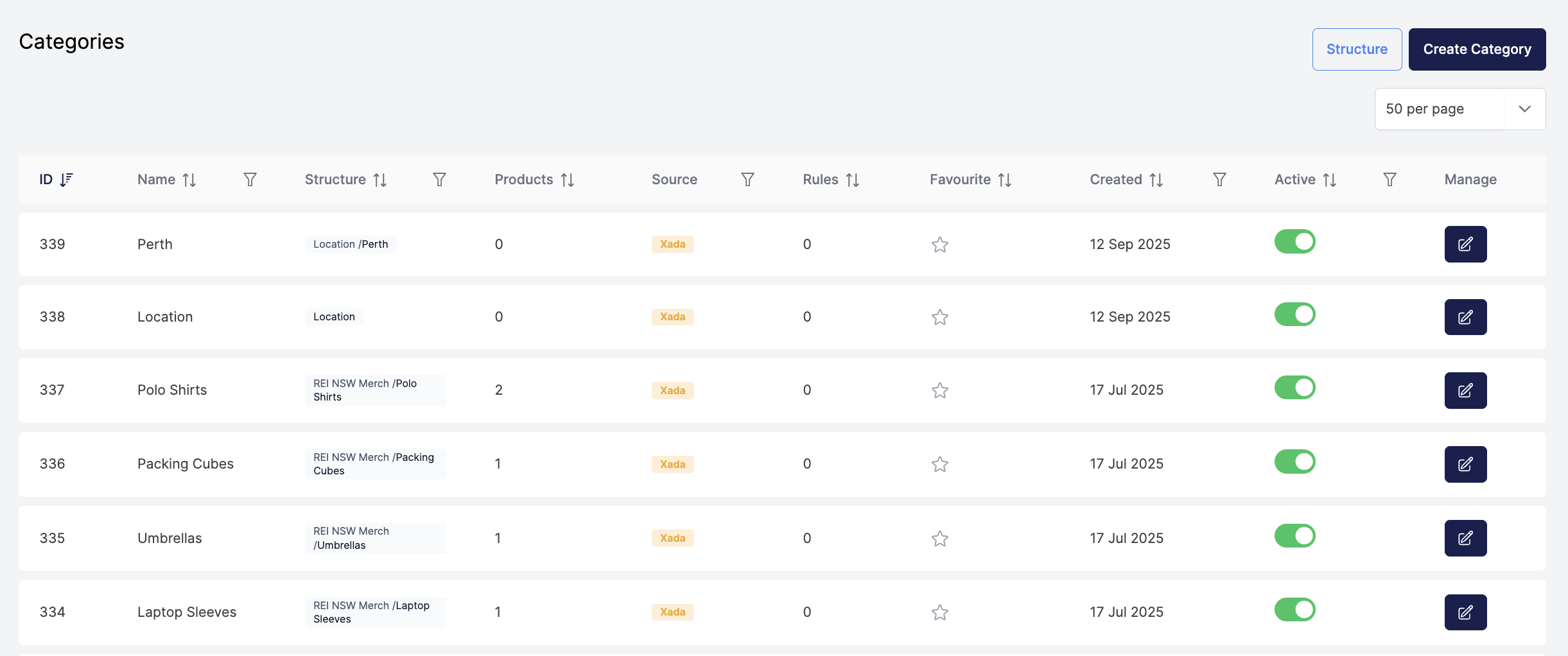
The Categories menu controls which categories are active and synchronised to your storefront.
Category Index Page View
- View category source
- Assigned products
- Assigned rules
- Date created
- Active status
Category Structure View
- Imported categories from supplier data (blue boarder)
- Inactive (transparent) and active categories currently published
- Manually created categories (orange boarder)
- Category relationships e.g. Parent, Child and Grandchild
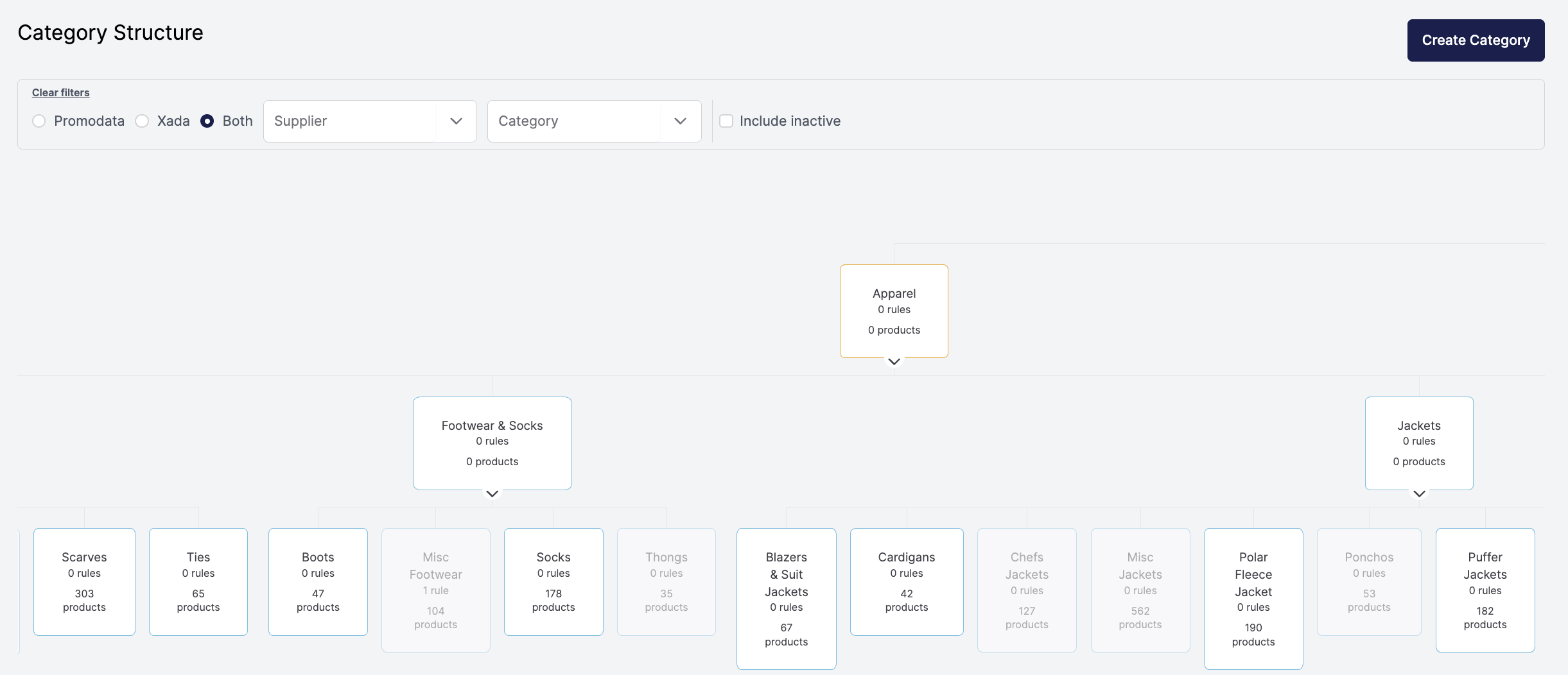
Supplier categories originating from Promodata API can be edited or alternatively you can create your own Xada categories (orange boarder) and use rules to automatically assign products.
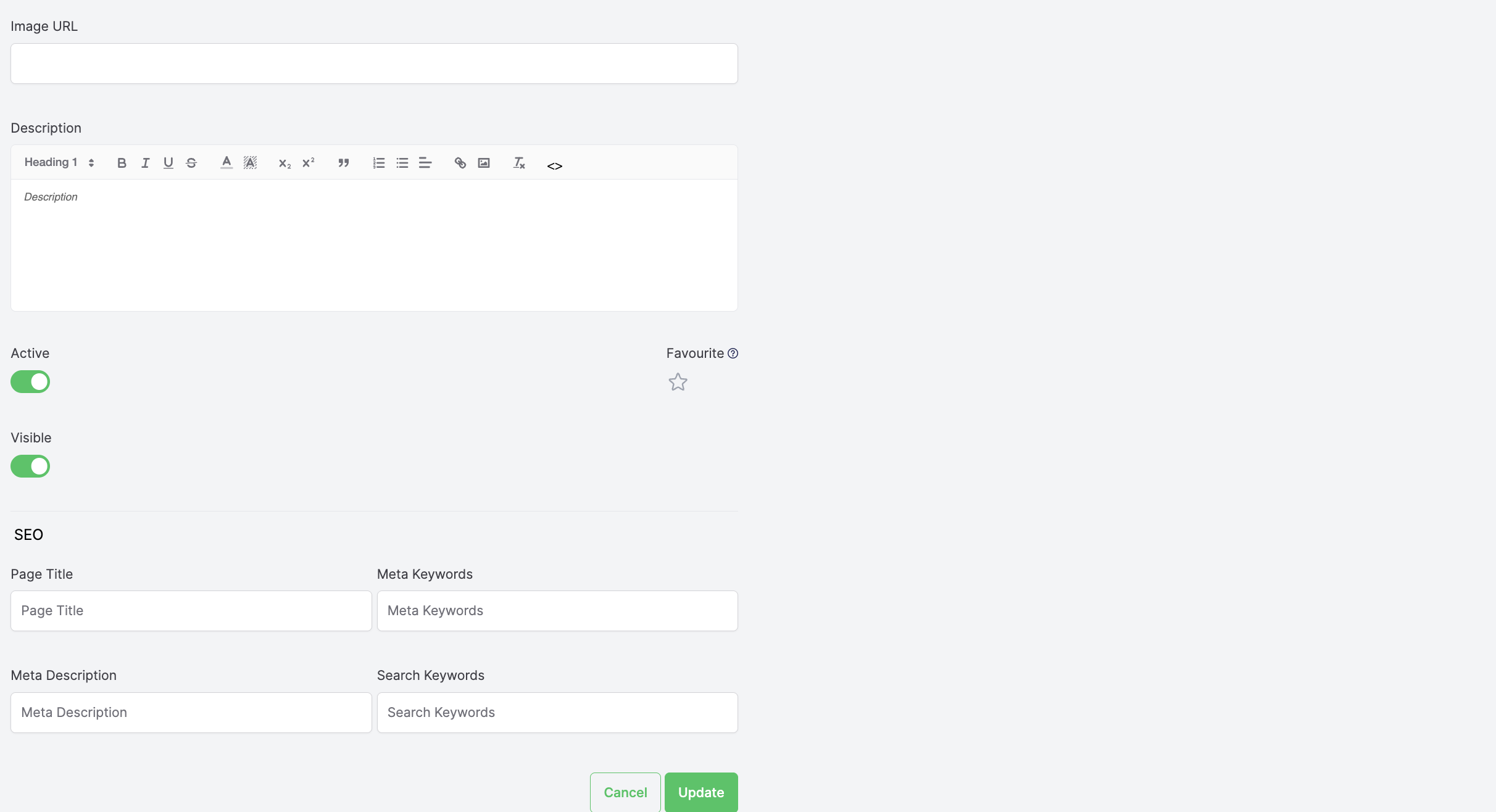
Category level controls include:
- Navigation visibility
- Category descriptions for SEO
- Page titles and metadata
This ensures category pages remain optimised without manual configuration in the storefront.
Product Management
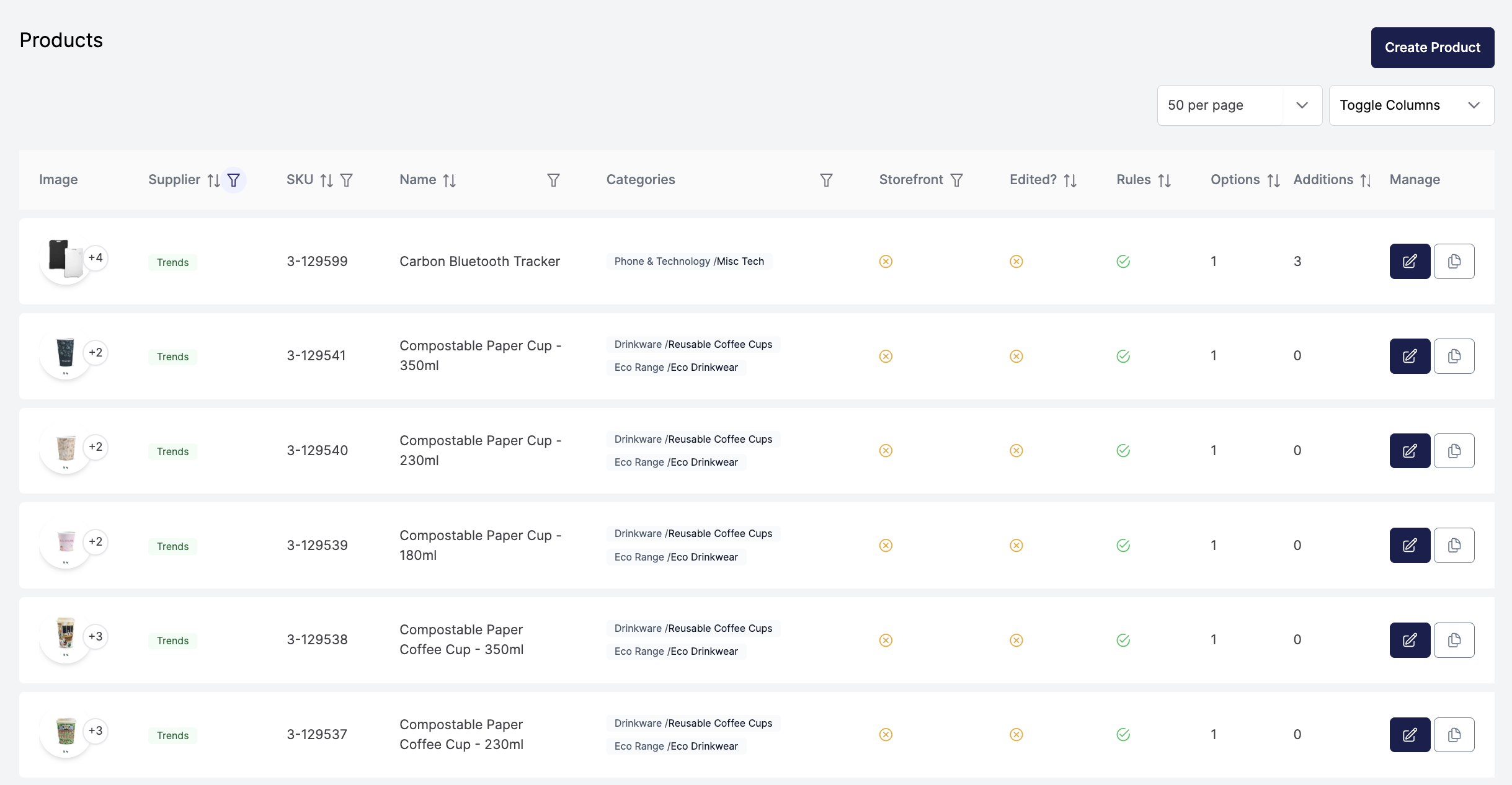
The Products menu provides a complete view of all synchronised products.
Products Index Page:
- Filter products by supplier or category
- Review quantity of available images, options, additions, sizes and colours
- View storefront sync status
- View rules assigned status
- Activate or deactivate products
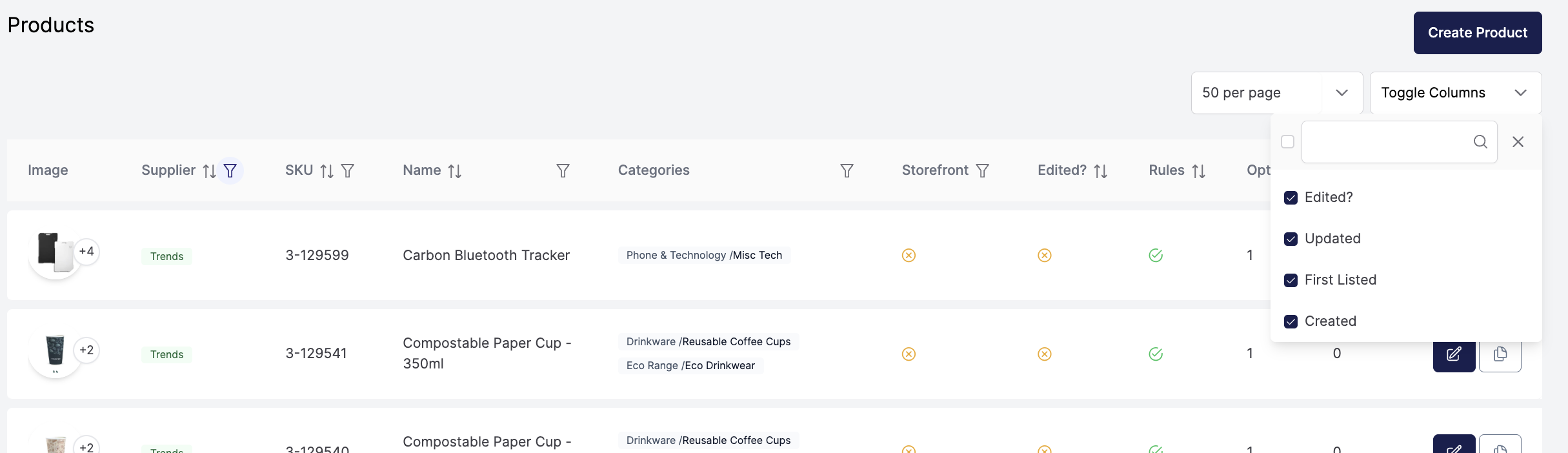
- Control which columns are visible for easier review
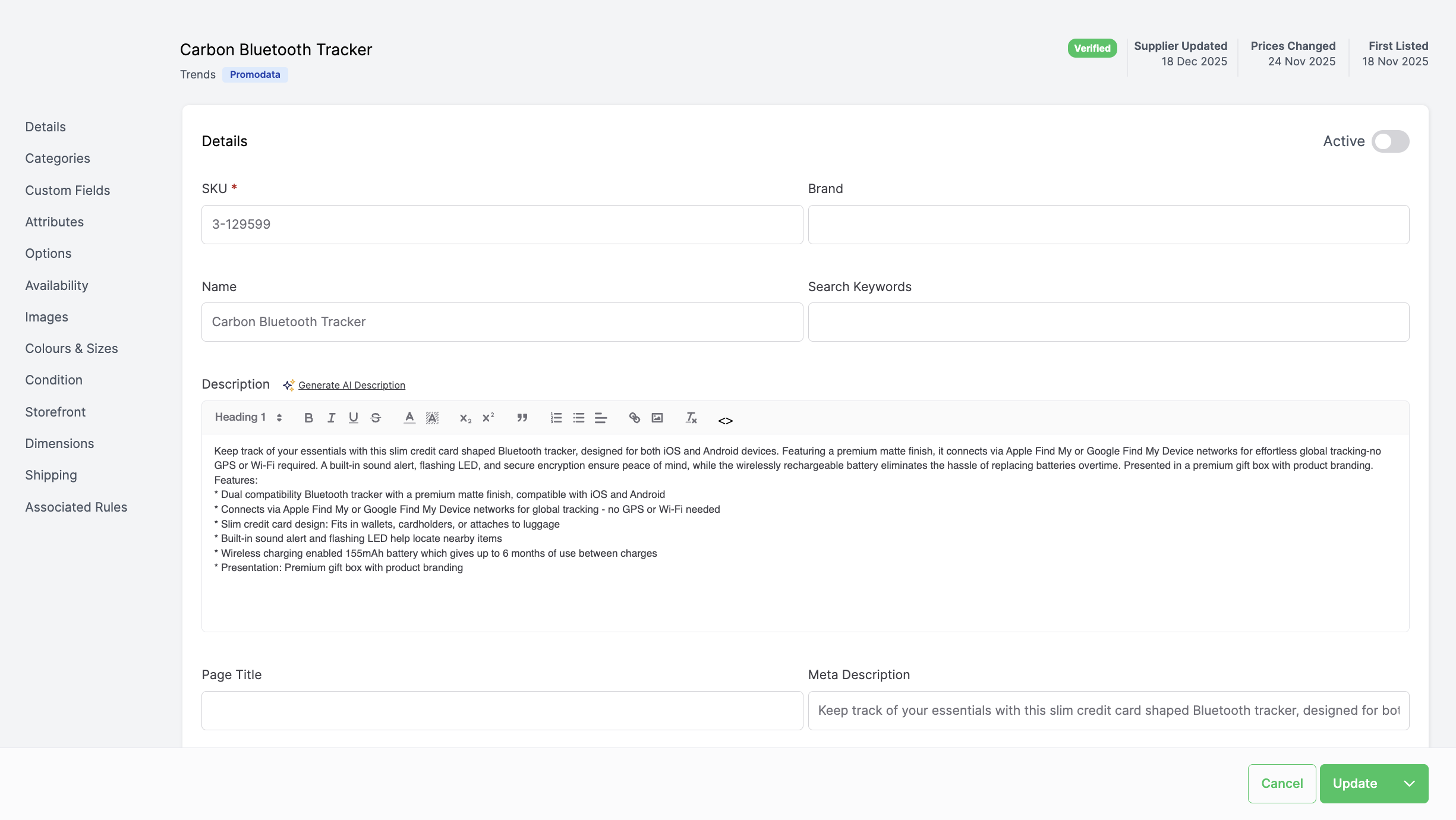
Each product includes a detailed Manage view where you can control exactly what information is published to your storefront.
This includes:
- Product names and descriptions
- Category assignments
- Custom fields used for filtering and display
- Pricing and quantity breaks
- Decoration and service pricing
- Online ordering or quote only settings
- Discontinued product handling
- Image selection and hero images
- SEO metadata and URLs
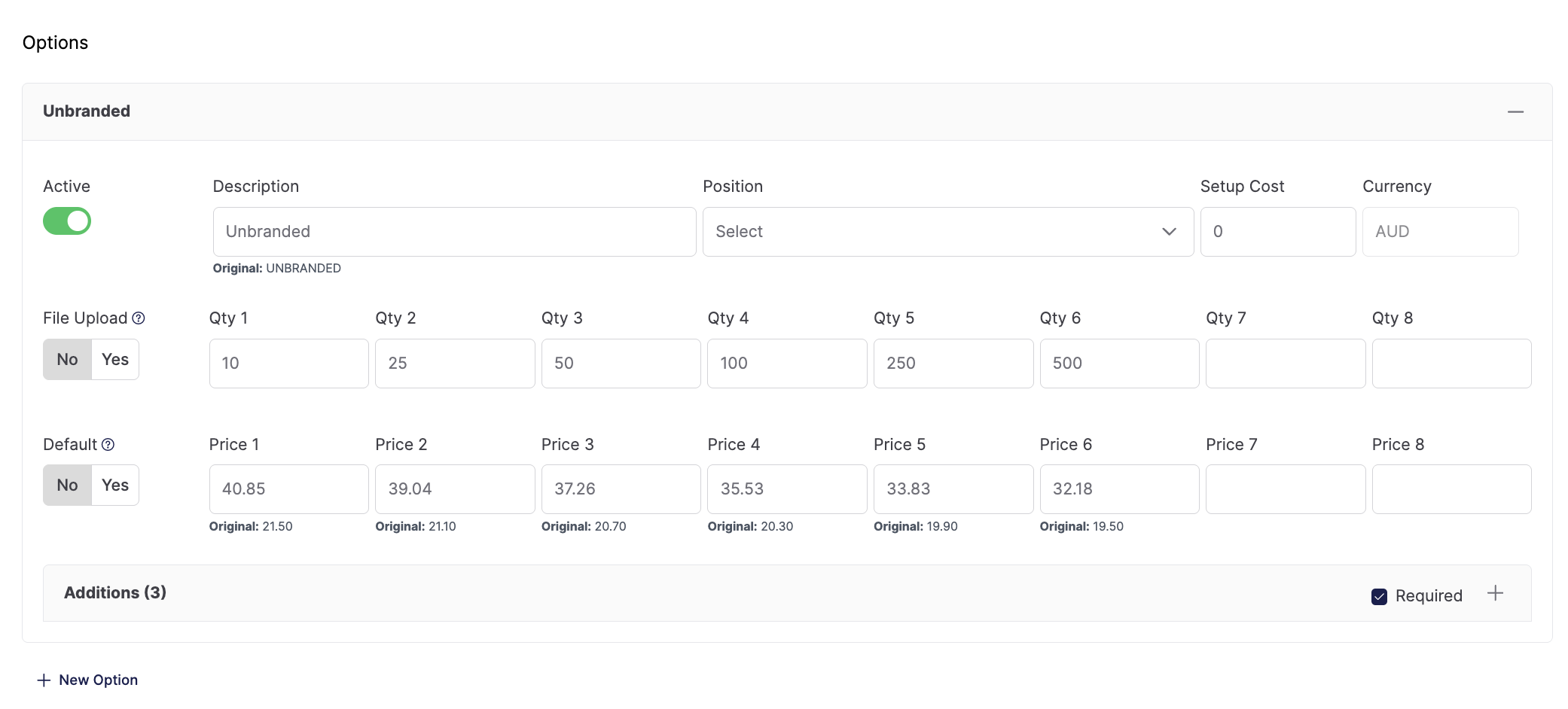
Pricing can be adjusted automatically using rules, including markups and cascading discounts based on quantity breaks. These changes can be applied at scale rather than managed per product.
Products are synchronised daily, with the option to publish immediately when changes need to go live without delay.
Rules Engine
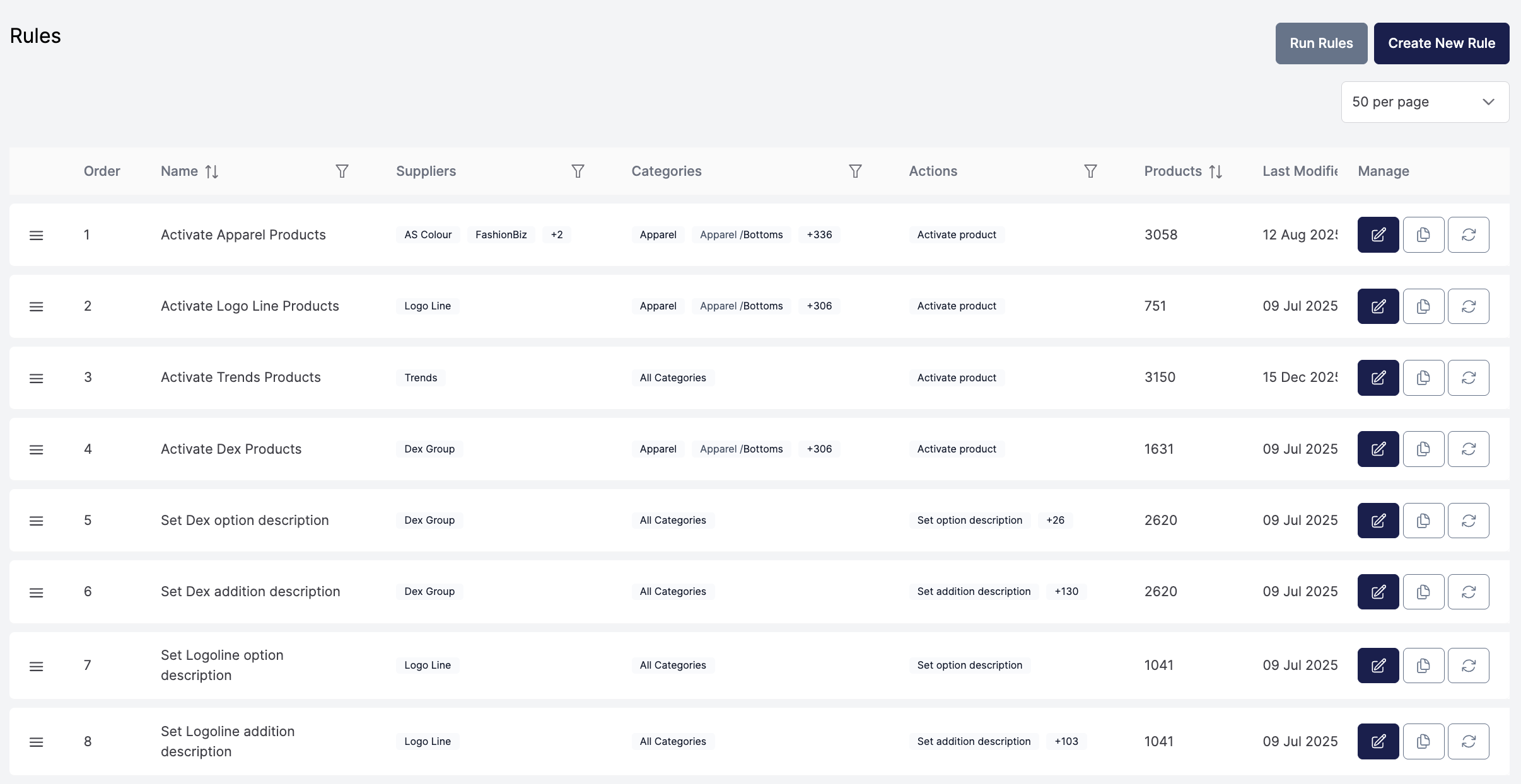
The Rules facility is one of the most powerful areas of Xada and is covered in detail in a dedicated session.
Rules allow you to define conditions and actions that are applied across large product sets. Common use cases include:
- Calcualating pricing markups
- Assigning categories
- Activating products
- Standardising option and addition descriptions
- Managing discontinued products
- Deactivating custom fields
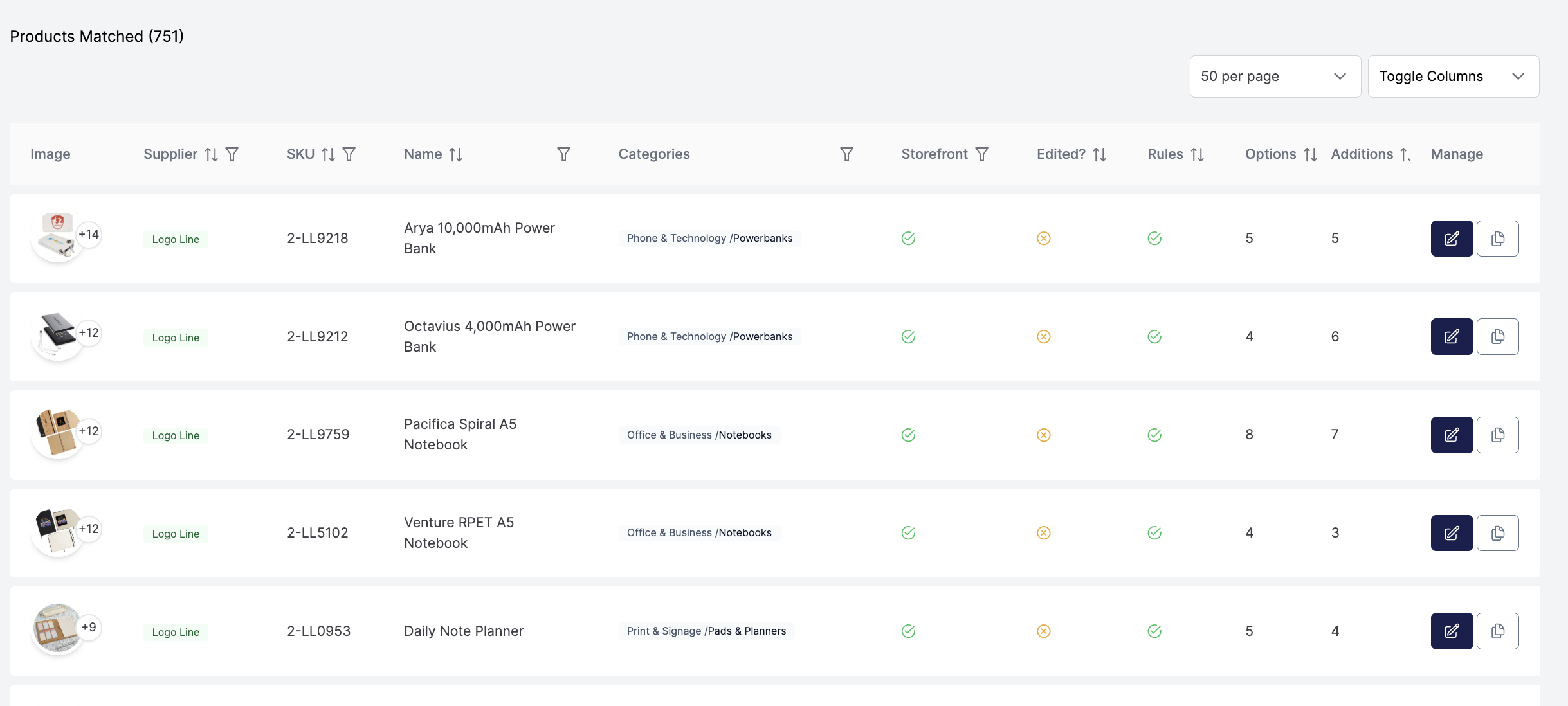
Each rule provides immediate feedback on how many products will be affected before it is applied, giving confidence when making bulk changes.
Addition Sets and Custom Fields
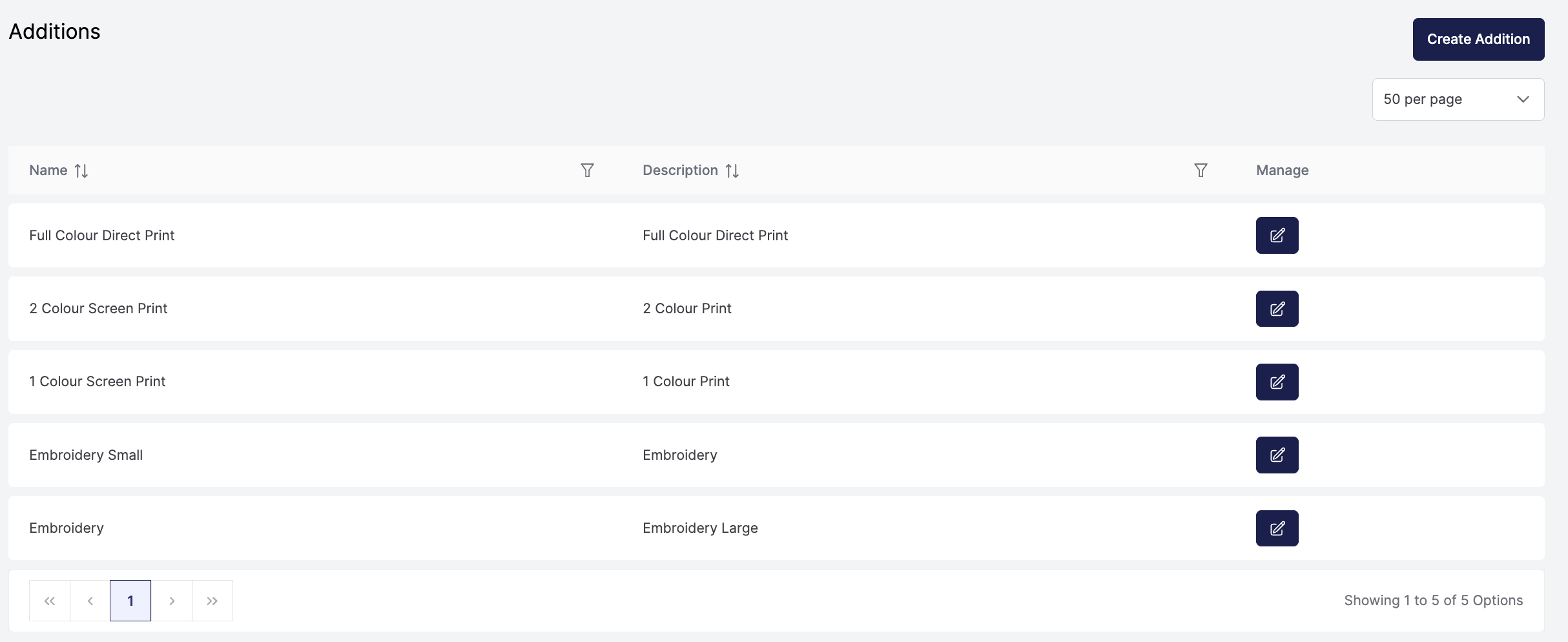
Xada includes an Addition Sets Module, which allow you to define reusable decoration templates that can be applied in bulk. This is particularly useful for products that do not carry decoration data at the product level.
Custom Fields are managed in a separate menu and allow you to control which supplier fields are active and synchronised. These fields can also be used to power filtering and product discovery on the storefront.
Both areas are covered in their own dedicated training sessions.
Ongoing Improvements and Support
Xada is continuously evolving, with new features and performance improvements released regularly. Release notes provide visibility into these updates as they become available.
Additional training videos are provided for more advanced workflows and complex product management scenarios. If you require further assistance, the support team is available to help you get the most out of Xada.